
What Are WordPress Plugins and How Do They Work?
Plugins extend the functionality of WordPress.

1) Finding Plugins
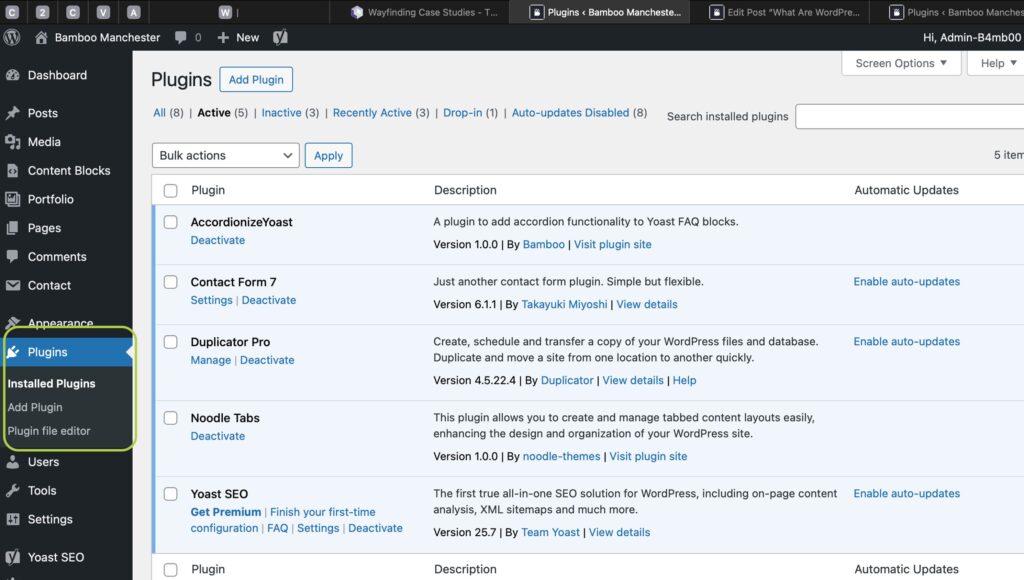
Go to Plugins → Add New and search the WordPress Plugin Directory.
2) Installing a Plugin
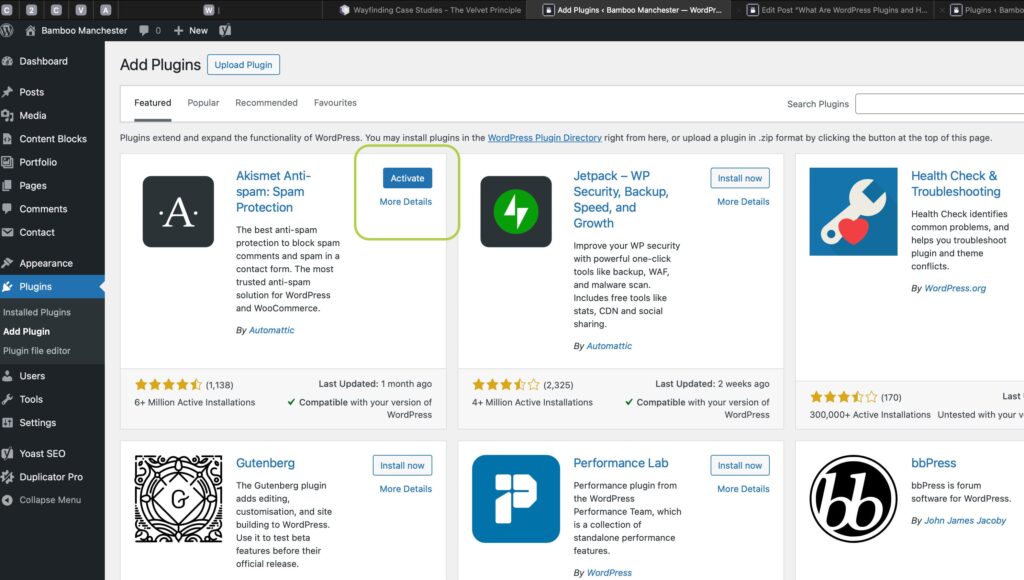
Click Install Now, then Activate.
3) Updating Plugins
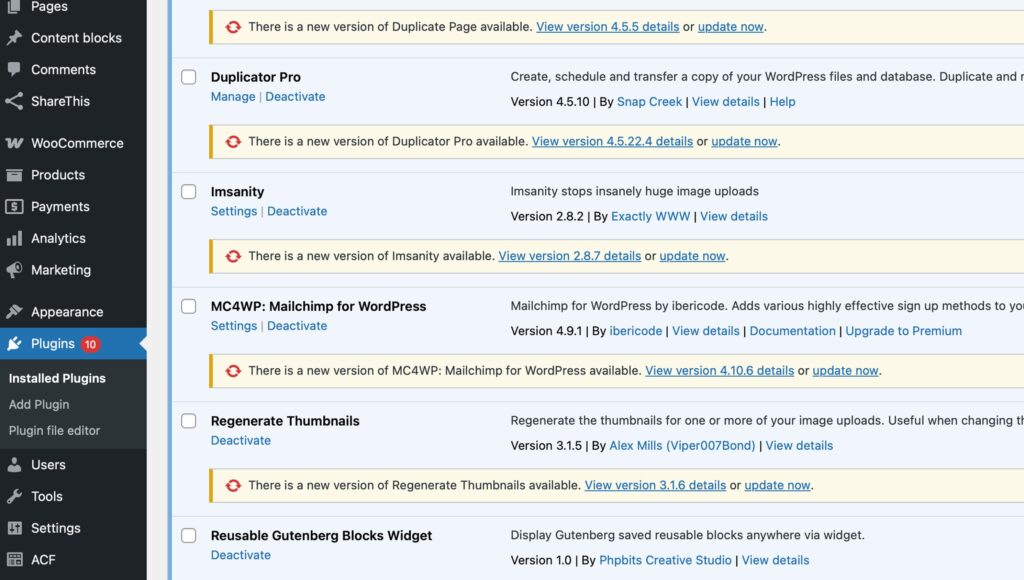
Keep plugins updated for security and compatibility.
4) Deactivating or Deleting Plugins
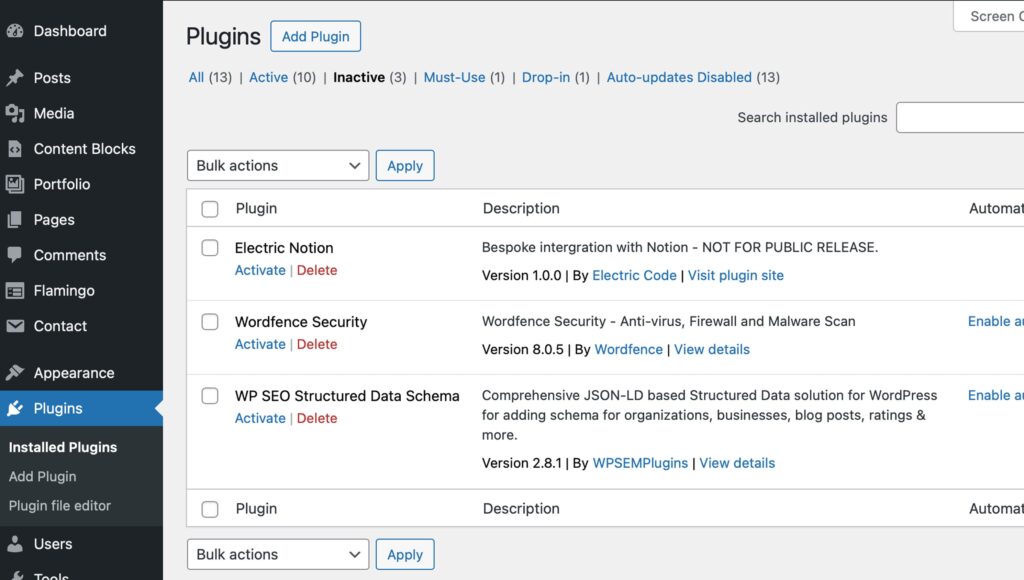
From Plugins → Installed Plugins, choose Deactivate or Delete.
5) Examples of Popular Plugins
– SEO plugins (Yoast SEO, Rankmath,)
– Contact forms (Formflow, Contact Form 7)
– Security plugins (Wordfence)

Managing Users in WordPress

Written by
Simon Nolan
Creative Designer & Developer
Hi, I’m Simon, and I run Bamboo Manchester. After more than 25 years working in web design and development, I still get the same buzz from bringing an idea to life on screen. Whether it’s crafting strong visual identities, improving SEO, Using AI or building completely bespoke WordPress sites, I care about making things that work beautifully and perform brilliantly.