
How to Log In to WordPress (Step-by-Step for Beginners)
Logging in is the first tiny hurdle everyone trips over at least once. Here’s the simple route, plus a couple of fixes if the usual links don’t work.
1) Your WordPress login URL
Most sites use one of these two addresses (swap `yoursite.com` for your domain):
– https://yoursite.com/wp-login.php
– https://yoursite.com/wp-admin
**Forgotten your password?** Use the “Lost your password?” link.

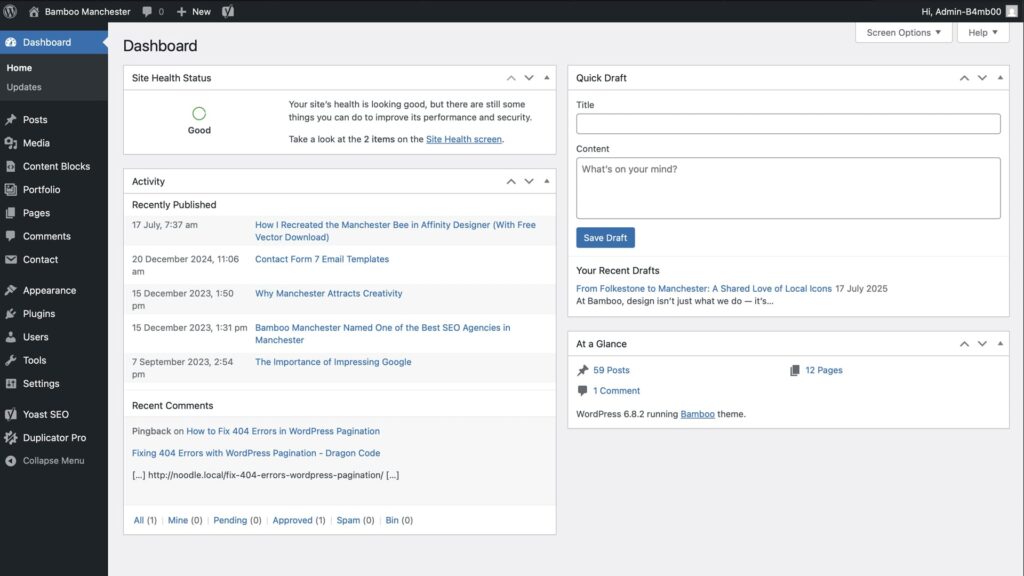
2) After you log in: the Dashboard
Once you’re in, you land on the WordPress Dashboard — the control room for posts, pages, comments and more.
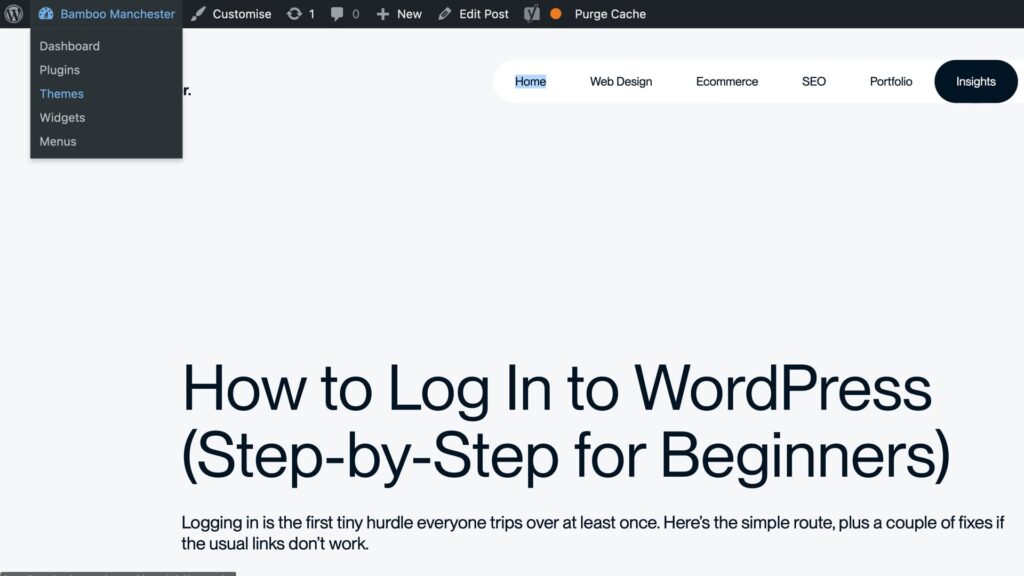
3) Quick tip: The Admin Bar
When you’re logged in and viewing the front of your website, you’ll notice a thin bar at the top (only visible to you).
4) If the login URL doesn’t work
– Security plugins may have changed it.
– Clear caches.
– Check domain variants.
5) Make future logins painless (and safer)
– Save the login URL as a bookmark.
– Use a password manager.
– Turn on two-factor authentication.

Exploring the WordPress Dashboard:
A Beginner-Friendly Tour

Written by
Simon Nolan
Creative Designer & Developer
Hi, I’m Simon, and I run Bamboo Manchester. After more than 25 years working in web design and development, I still get the same buzz from bringing an idea to life on screen. Whether it’s crafting strong visual identities, improving SEO, Using AI or building completely bespoke WordPress sites, I care about making things that work beautifully and perform brilliantly.