
Managing Users in WordPress
User accounts allow multiple people to access your site with different permissions.

1) Adding a New User
Go to Users → Add New, fill in details, and choose a role.
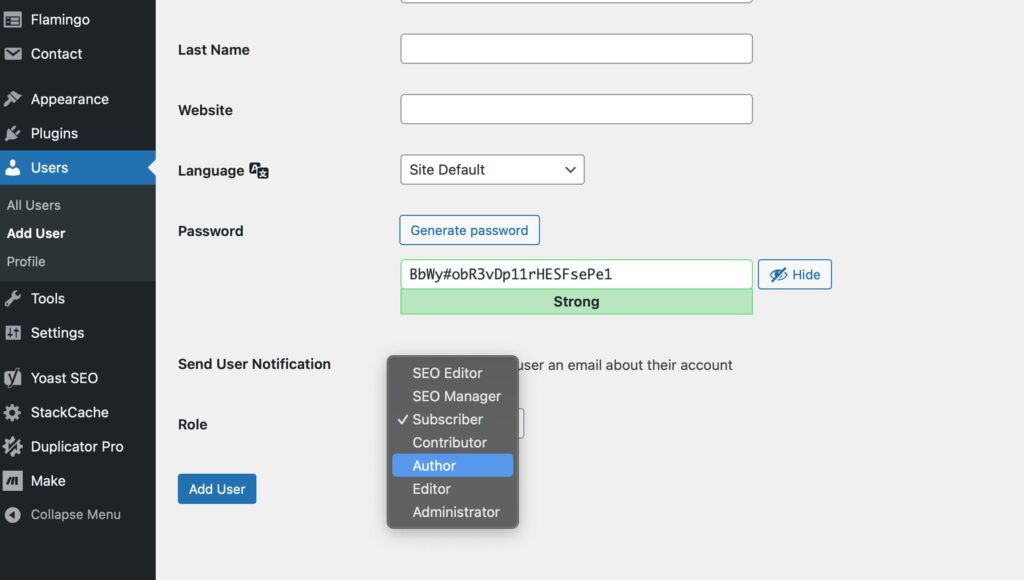
2) Understanding User Roles
– Administrator: Full access
– Editor: Manage content and others’ posts
– Author: Publish their own posts
– Contributor: Write but not publish
– Subscriber: Manage their profile only
3) WooCommerce Roles
– Shop Manager: Manage store and orders
– Customer: Can log in and view order history
4) Editing or Removing Users
From Users → All Users, click Edit or Delete under a name.

Written by
Simon Nolan
Creative Designer & Developer
Hi, I’m Simon, and I run Bamboo Manchester. After more than 25 years working in web design and development, I still get the same buzz from bringing an idea to life on screen. Whether it’s crafting strong visual identities, improving SEO, Using AI or building completely bespoke WordPress sites, I care about making things that work beautifully and perform brilliantly.